Image header

Making Up Missed Lessons (Course)

Follow a course at NOMO Ceramics, but can't attend one? No worries - in many cases you can catch up at a later time. On this page, you'll read about how the catch-up system works, the conditions, and there's a handy FAQ with frequently asked questions.
to Faq

No lost lesson hours and more flexible make-up opportunities

Many studios reserve multiple lessons per quarter as fixed make-up moments, causing you to miss some regular lessons and making less progress. We found that a shame. Instead, we offer make-up opportunities in other ongoing lessons: as soon as someone cancels in time, that spot becomes available for a student who wants to make up a lesson. This keeps the schedule full, gives you the chance to follow all your course lessons, and often more choice in dates and times.

Catch-Up Conditions

  • Subject to availability: Catching up is an extra service and cannot be guaranteed.
  • Cancel at least 6 hours in advance to keep your catch-up opportunity.
  • Late cancellation (within 6 hours of the lesson start): the lesson and your catch-up chance are forfeited.
  • All cancellations and catch-up bookings must be made through the NOMO app.
  • Catch-up is possible only during your course period: you cannot make up lessons before the course starts or after it ends.
  • Any unused catch-up opportunities expire at the end of your current course — no refunds are given for missed or un-made-up lessons.

Important to Know

The catch-up opportunities apply only to regular course lessons. Workshops and Open Studio sessions are not included.

You can only schedule a catch-up after your course fee has been paid. You’ll receive access to the Nomo app once your enrolment is confirmed and payment is complete.

Nomo app account. After payment you’ll receive an email to activate your Nomo account. Not in your inbox? Check your spam folder or contact us.

Forgot your password? No worries – you can always reset it in the app and set a new one.

Image header

How can I cancel a lesson?

1. Open the Nomo app and log into your account; you'll see all the lessons of your current course series in your calendar.

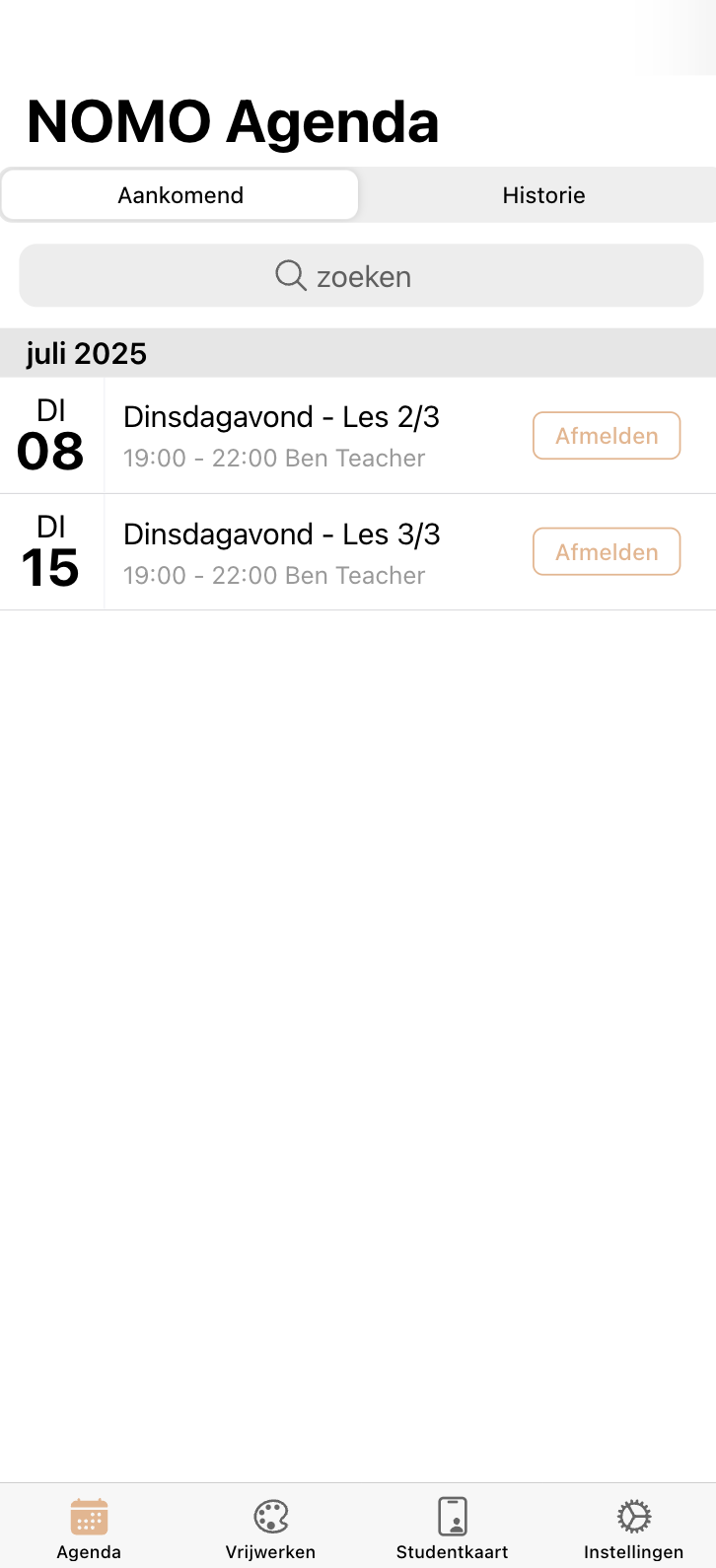
2. Unregister for the lesson you cannot attend by clicking 'Cancel'. Do this at least 6 hours in advance for a make-up opportunity. You will receive an email confirmation of your cancellation.

3. Your cancellation frees up a spot in that lesson, which can now be used by another student to make up a missed lesson.

Image header

Make-up Opportunities

After you cancel in time, the system registers one make-up lesson credit for you.
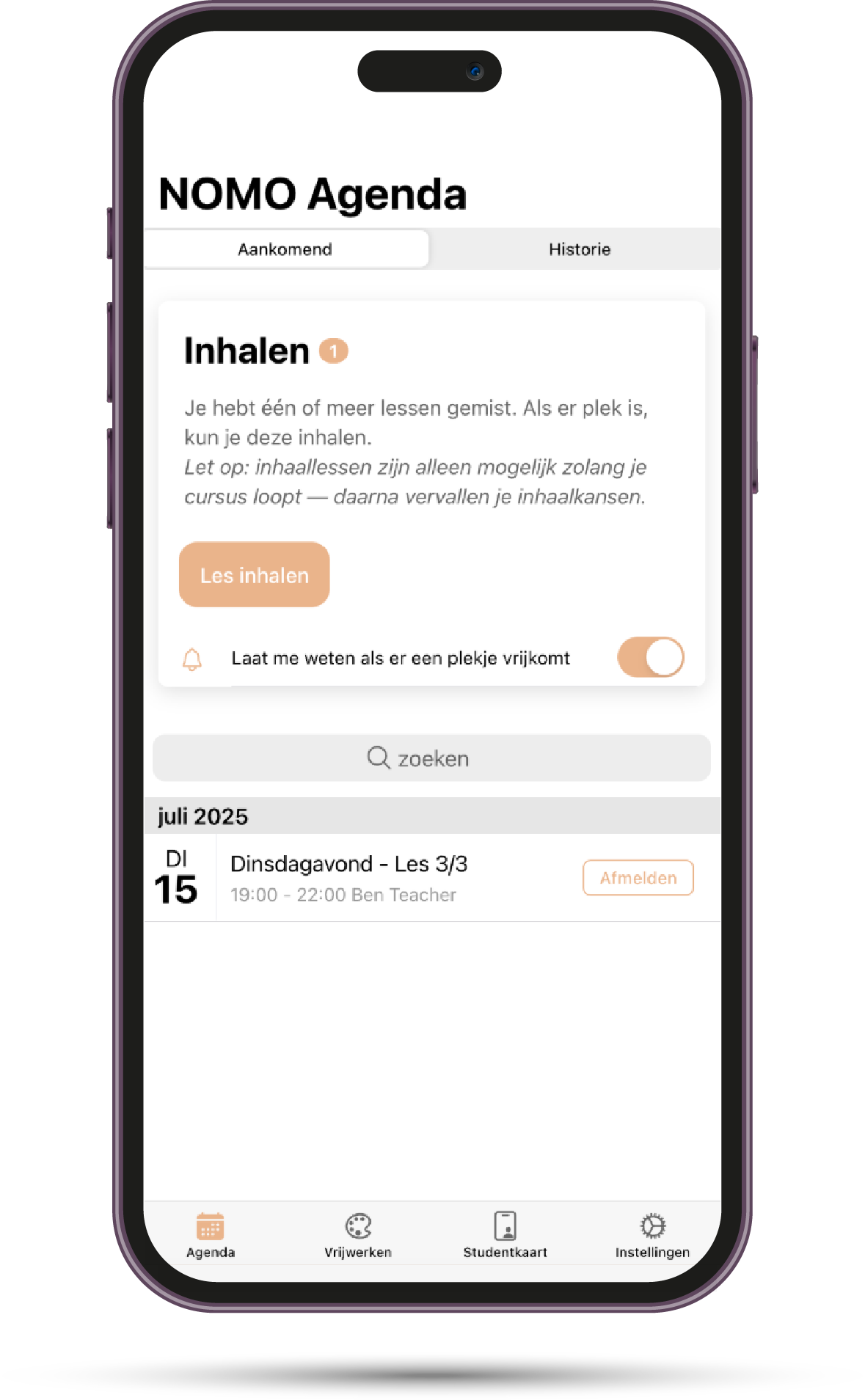
In the Nomo app, you will then see 'Make-up (1)' at the top of your calendar, indicating that you can make up for one missed lesson.

Here you can also set an alert if you want to receive an email/notification when a new spot becomes available.

Image header

How can I catch up on a lesson?

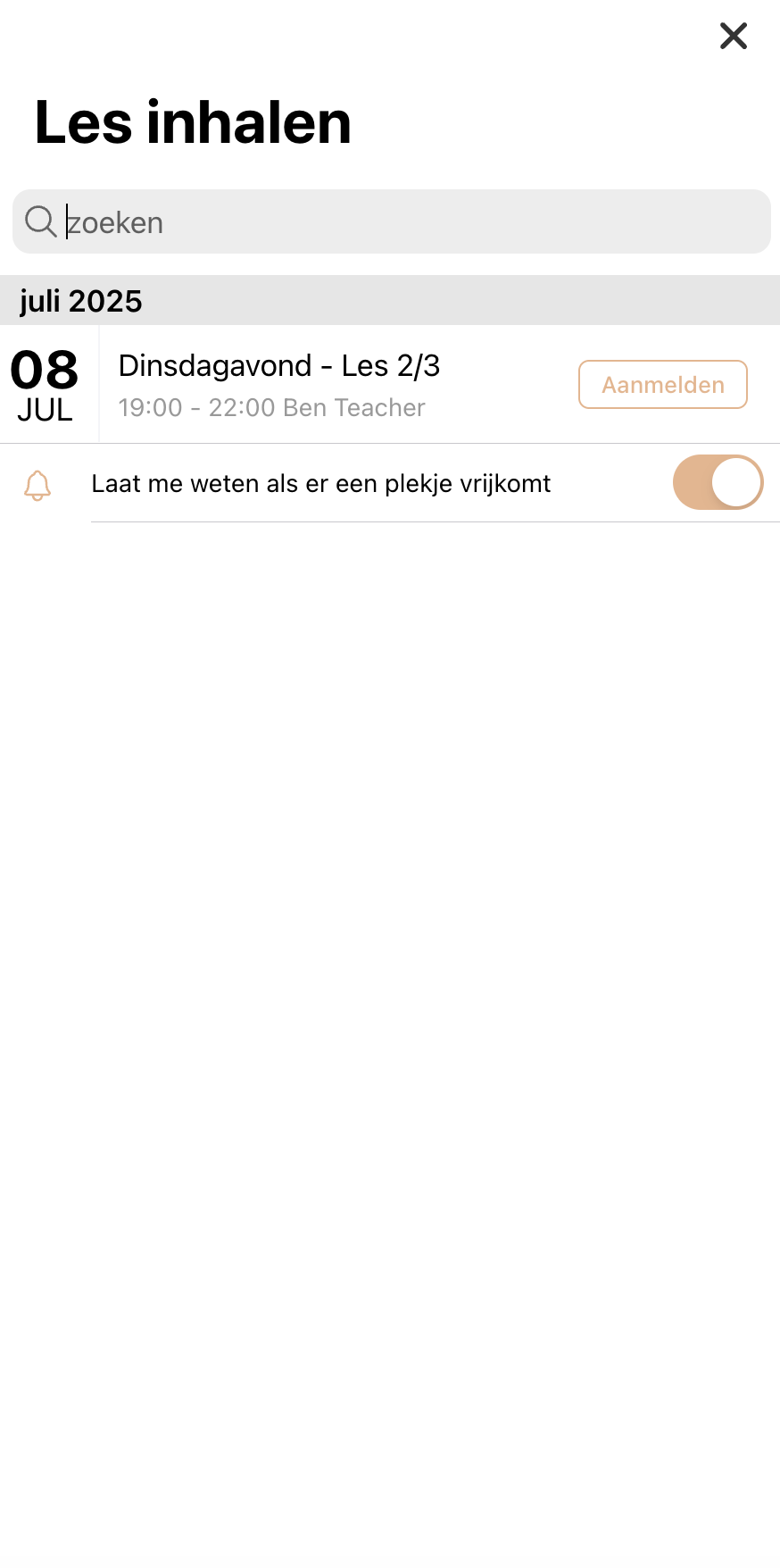
Click 'Catch up lesson' at the top of your calendar. You will now see all the current possibilities to make up a lesson. These are the open spots in other course groups where someone has canceled.

Find a lesson that suits you and click on "Register". This enrolls you in that lesson as a make-up student.

Then your make-up lesson appears in your calendar in the app and you will receive a confirmation by e-mail with a calendar invitation.

No suitable moment available? Regularly check the app for new make-up moments or set the notification to be kept informed when a spot becomes available.

Frequently Asked Questions (FAQ)

No. We deliberately do not schedule separate ‘catch-up classes’. Many studios reserve one or two lessons each quarter as fixed catch-up sessions; that means you automatically miss a few regular lessons and make less progress. We thought that was a waste.

Instead, we offer catch-up opportunities inside other ongoing classes: as soon as someone cancels in time, that seat becomes available for a student who needs to make up a lesson. This keeps the schedule full, lets you attend all the lessons in your course, and usually gives you more choice of dates and times. Since our opening in early 2025 this system has worked very well—so far every student who cancelled on time has been able to book a suitable catch-up slot.

If you cancel at least 6 hours before the lesson, you can make up that lesson for free. If you cancel at the last minute (less than 6 hours before the lesson), you can no longer make it up. We understand that suddenly falling ill is beyond your control, but with so little notice we can’t give your spot to another student, so the seat remains empty and the lesson is lost for you. Please try to cancel in time whenever possible.

No, a catch-up lesson costs nothing extra. As long as you cancelled on time, you can make up a lesson for free (subject to availability). Please note that missed lessons are not refunded if you are unable to make them up.

No, that’s not possible. A catch-up lesson must be taken within the duration of your own course. Any unused catch-up opportunities expire automatically after your final lesson. You also cannot make up lessons before your course has started—catch-ups are only possible during the course period itself.

No, these catch-up options apply only to course lessons, not to workshops or Open Studio sessions.

We ask this out of respect for fellow students and the teacher—and to give you a chance to catch up. If we know in advance that you can’t attend, we can offer your seat to another student who needs to make up a lesson. If you cancel too late (or not at all), it’s practically impossible to find someone at short notice and the seat remains empty. That’s why your catch-up opportunity expires in that case.

In the Nomo app you can opt in to notifications for new catch-up opportunities. Go to “Settings” and look under Notifications. Whenever another student cancels and a spot opens that fits your course, you’ll be notified automatically. You can then quickly claim the slot in the app for your catch-up lesson.

We recommend using the notifications actively and checking regularly, but it can happen that you don’t find a suitable slot within your course period. Unfortunately any outstanding catch-up opportunities expire after your current course—there is no refund for missed lessons or lessons that weren’t made up. Catching up is an extra service offered on a best-effort basis, not a guarantee. In practice it usually works out, but it’s still wise to miss as few lessons as possible.

If you haven’t received your login details after enrolling and paying, first check your spam folder—the invitation email sometimes ends up there. Still nothing? Please contact us by email and we’ll make sure you get access. Without an account you can’t cancel or catch up lessons, so let us know promptly.

In the Nomo app, select “Forgot password” (or “Reset password”). Enter the email address you registered with and you’ll receive an email with a link to set a new password. If that doesn’t work or you don’t receive the reset email, contact us and we’ll be happy to restore your access.

Contact

Do you have any other questions about making up lessons?
Feel free to contact us via the contact form.

Ask a question